AgentX
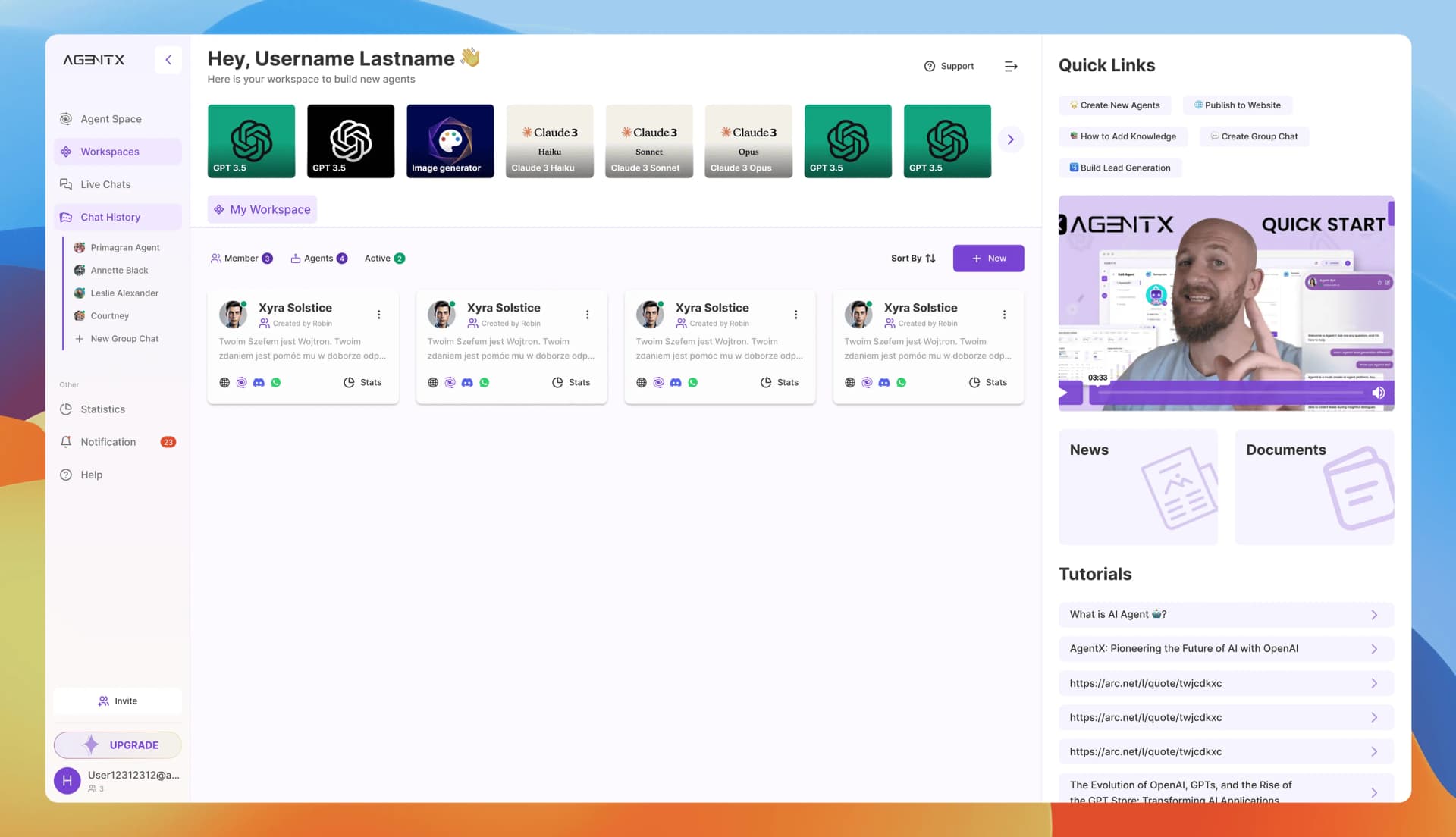
I was involved in building several core B2B product flows, from 0 → MVP → the official 1.0 release with 40+ enterprise users. I designed the Agent-building platform brick by brick — from the main builder flow to payments, workspaces, team & authorization system as well as the 2 version of Floating AI Chatbot for Client's websites.
No-code AI Agent Builder for E-commerceBuilding agents is the core feature of the platform—the central business function that every user engages with daily. I led this feature from MVP through successive iterations aligned with evolving business requirements. The solution—a wizard-based building process—enables customers to create, configure, and deploy an AI agent to their website within five minutes.
Problem & ContextFor e-commerce businesses, AI chatbots represent significant conversion value, yet remain inaccessible to non-technical teams. The barriers are substantial: building functional AI agents requires technical expertise most marketing and sales professionals lack, deployment processes obscure immediate impact, existing market solutions suffer from poor interface design and dated aesthetics, and emerging concepts like LLM ingestion pipelines remain unfamiliar territory for most users.
Our target users—non-technical professionals from marketing and sales backgrounds—work primarily in e-commerce, spanning independent stores to mid-sized businesses. They need a streamlined path to build, deploy, and maintain AI agents that handle general inquiries and answer common questions, reducing manual support costs and eliminating repetitive data maintenance workflows. Success required balancing ease of use and speed to impact with enterprise-level flexibility and a maintenance experience intuitive enough for weekly engagement.
Our target users—non-technical professionals from marketing and sales backgrounds—work primarily in e-commerce, spanning independent stores to mid-sized businesses. They need a streamlined path to build, deploy, and maintain AI agents that handle general inquiries and answer common questions, reducing manual support costs and eliminating repetitive data maintenance workflows. Success required balancing ease of use and speed to impact with enterprise-level flexibility and a maintenance experience intuitive enough for weekly engagement.
ProcessAs product designer in an early-stage startup environment, I prioritized outcomes over process formality. Four early adopters co-designed the MVP solution with us. Working from their use cases and requirements, I delivered prototypes for design review, enabling rapid shipping and feature testing. User feedback, monthly review, and heatmap tracking informed retention and iteration decisions.
I conducted monthly evaluations of user flow patterns and information architecture, assessing how existing complexity compounded cognitive load against the backdrop of expanding enterprise features: team workspaces, analytics, live support capabilities. This analysis defined a strategy of progressive disclosure—breaking major architectural changes into incremental, digestible releases that balanced existing user familiarity with new functionality.
I conducted monthly evaluations of user flow patterns and information architecture, assessing how existing complexity compounded cognitive load against the backdrop of expanding enterprise features: team workspaces, analytics, live support capabilities. This analysis defined a strategy of progressive disclosure—breaking major architectural changes into incremental, digestible releases that balanced existing user familiarity with new functionality.
DesignInitially, the product launched as a four-step wizard flow designed for rapid agent deployment. As an early-stage product focused on customer onboarding and adoption, the design language centered on three principles:
- transparent end-to-end steps revealing outcomes at each stage,
- early result visibility enabling pre-deployment testing,
- modular component architecture supporting both feature expansion and optional step skipping;
Throughout the year following launch, the page's core structure remained stable while capabilities expanded to meet business requirements. Adapting the experience while balancing new functionality required continuous refinement. The following examples illustrate the systems thinking and interaction design that shaped these iterations.
- transparent end-to-end steps revealing outcomes at each stage,
- early result visibility enabling pre-deployment testing,
- modular component architecture supporting both feature expansion and optional step skipping;
Throughout the year following launch, the page's core structure remained stable while capabilities expanded to meet business requirements. Adapting the experience while balancing new functionality required continuous refinement. The following examples illustrate the systems thinking and interaction design that shaped these iterations.
1. Navigation Restructure: Top to Left SidebarHeatmap analysis revealed a consistent user complaint: limited screen real estate. The top-positioned wizard navigation consumed vertical space while showing low engagement, creating inefficient viewport utilization.
The solution restructured the navigation system and refined component proximity to deliver a more contemporary, usable experience. Migrating from top wizard flow to left sidebar navigation achieved multiple objectives: mirrored the main page's left-right layout to reduce cognitive load during view transitions, created expansion capacity for future features, accommodated subcategory visibility within each step (addressing later business requirements), and reclaimed previously underutilized left-margin space to maximize full-height content area—critical for vertical-scrolling workflows and smaller laptop displays.
The solution restructured the navigation system and refined component proximity to deliver a more contemporary, usable experience. Migrating from top wizard flow to left sidebar navigation achieved multiple objectives: mirrored the main page's left-right layout to reduce cognitive load during view transitions, created expansion capacity for future features, accommodated subcategory visibility within each step (addressing later business requirements), and reclaimed previously underutilized left-margin space to maximize full-height content area—critical for vertical-scrolling workflows and smaller laptop displays.
2. Database Management: From Form Inputs to Notion-Style EditingThe MVP employed simple database entry—users clicked to add knowledge items one at a time. Discovering an implementable open-source tool enabled a technical-design collaboration that transformed this interaction. The proposal gained immediate engineering buy-in, replacing the click-add-delete pattern with flexible, Notion-style database editing.
This shift reduced editing friction when users needed to correct mistakes or update content, accelerating iterative workflows while aligning with the contemporary work patterns our e-commerce clients—many of whom already used Notion—expected.
This shift reduced editing friction when users needed to correct mistakes or update content, accelerating iterative workflows while aligning with the contemporary work patterns our e-commerce clients—many of whom already used Notion—expected.
3. Advanced Customization for High-Specification ClientsAs the client base expanded, standardized no-code solutions proved insufficient for larger organizations requiring custom integrations for their marketing and sales operations. The design strategy remained unchanged: prioritize non-technical users while embedding advanced capabilities within the creation workflow. Developers gained access to custom code editors and terminal interfaces—contextually revealed only when needed—enabling sophisticated functionality without compromising the simplified experience for primary users.
4. End-User Experience DesignDelivering exceptional end-user experience remains the core value proposition for business clients. Unlike platforms offering unlimited customization that burden users with complex branding decisions, the strategy constrains customization to essential, high-impact controls—balancing business scalability with meaningful personalization.
By focusing on visual touchpoints rather than granular styling options, the design accelerates deployment, ensures cross-platform performance consistency, and maintains product sustainability. This approach drives adoption while providing businesses sufficient flexibility for brand alignment without transforming the product into a complex design tool.
By focusing on visual touchpoints rather than granular styling options, the design accelerates deployment, ensures cross-platform performance consistency, and maintains product sustainability. This approach drives adoption while providing businesses sufficient flexibility for brand alignment without transforming the product into a complex design tool.
Selected Customization ControlsCorner Bubble Size balances visibility against intrusiveness—larger dimensions improve discoverability and engagement, while smaller options prevent obstruction of critical website elements like CTAs.
Chatbot Style (Shape) enables brand personality expression through geometric variation while maintaining functional consistency, affecting perceived approachability and visual hierarchy.
Color Theme ensures brand coherence and builds user trust through pre-validated combinations that guarantee accessibility compliance while preventing contrast failures that undermine credibility.
Text Branding Name provides direct brand recognition with minimal technical overhead, building trust and reducing conversation abandonment.
Position Control accommodates diverse website layouts and regional reading patterns, preventing coverage of important page elements and reducing implementation friction.
Chatbot Style (Shape) enables brand personality expression through geometric variation while maintaining functional consistency, affecting perceived approachability and visual hierarchy.
Color Theme ensures brand coherence and builds user trust through pre-validated combinations that guarantee accessibility compliance while preventing contrast failures that undermine credibility.
Text Branding Name provides direct brand recognition with minimal technical overhead, building trust and reducing conversation abandonment.
Position Control accommodates diverse website layouts and regional reading patterns, preventing coverage of important page elements and reducing implementation friction.
Outcome and ImpactThe wizard flow design transforms the opaque process of building AI agents into clear, tangible steps accessible to non-technical users. By making the technology visible and the process comprehensible, the solution empowers users to deploy agents rapidly while demonstrating business value immediately.
The modular architecture enables rapid feature integration and experimentation, while the component structure minimizes design and engineering overhead for ongoing development. Most critically, the design reduces the barrier between business need and technical execution—turning a five-minute deployment window into a competitive advantage that defines the platform's market position.
The modular architecture enables rapid feature integration and experimentation, while the component structure minimizes design and engineering overhead for ongoing development. Most critically, the design reduces the barrier between business need and technical execution—turning a five-minute deployment window into a competitive advantage that defines the platform's market position.
2025 © Douglas Yueming Lai